
Use case • Jobsite field verification • iPad + Pencil
Check it on site. Prove it before you leave.
Supers, foremen, and PMs use ScaleTap to pull accurate dimensions off the plan in the field and send proof that clients and subs can open anywhere — same visit, no trip back to the trailer.
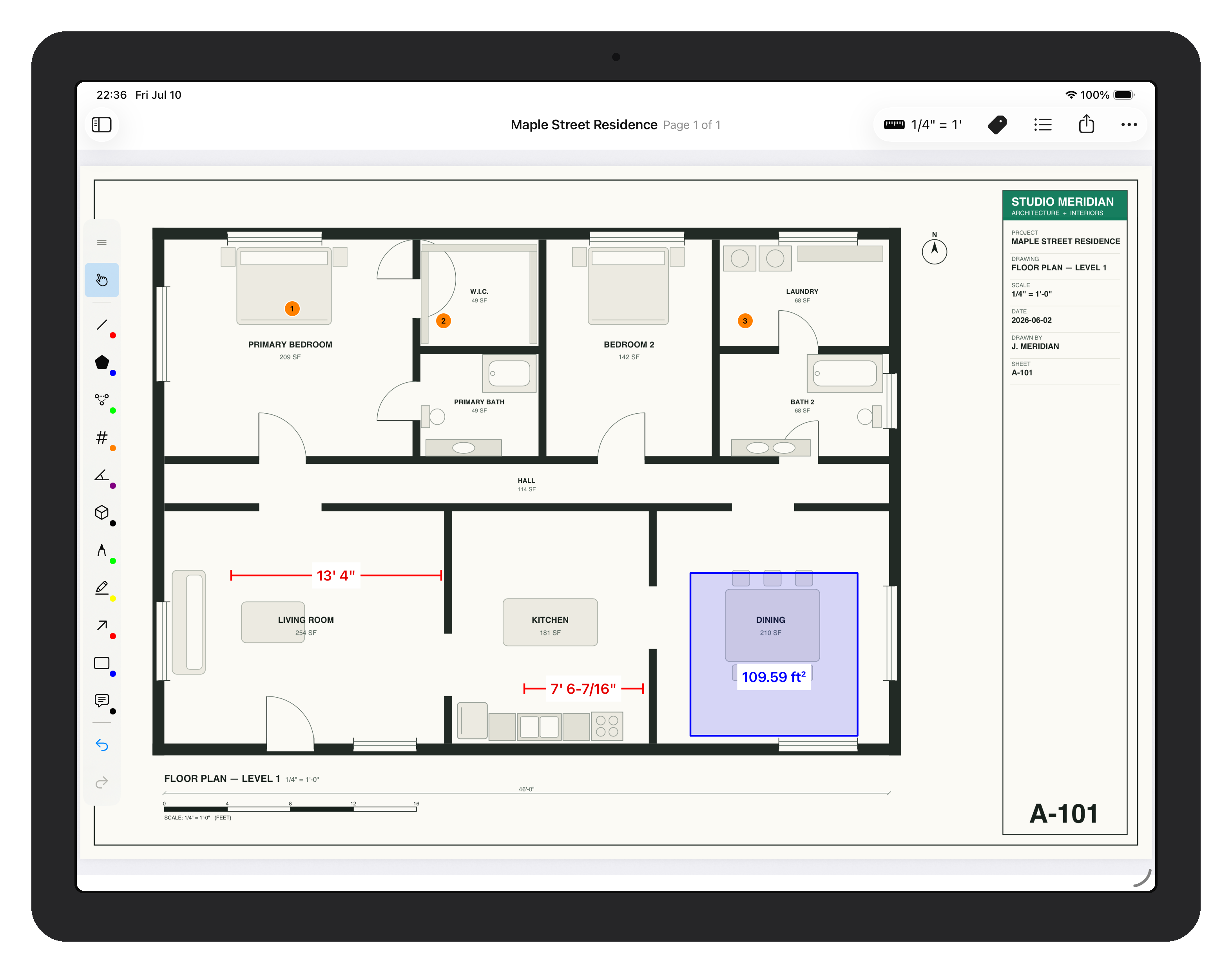
Native iPad workflow for checking dimensions, marking issues, and exporting proof from the field.
Typical workflow
Verify dimensions
Calibrate scale, then capture the required takeoff quantities while walking the site.
Mark up the plan
Add quick callouts (pen/highlighter/arrow/rect/text) where issues occur.
Send proof
Export a flattened PDF and share it via email, Messages, Files, or storage apps.
What makes it jobsite-ready
- Offline-first: basements, dead zones, airplane mode — measuring never needs a signal.
- Pencil-first: tap, drag, done. A finger pans; the Pencil measures.
- Predictable output: flattened PDFs that look the same on every screen and printout.
- Direct iPad controls: fewer panels and fewer taps between the plan and the result.
Have a tricky project file? Email support@scaletap.app and we'll walk through it with you.