ScaleTap exists because Revu for iPad went away.
I built ScaleTap for the part of Revu I needed on iPad: open a construction PDF, calibrate its scale, measure and mark it up, then send quantities or an annotated plan. It is a focused replacement for that job—not a claim to replace every Bluebeam workflow.
The missing workflow came first.
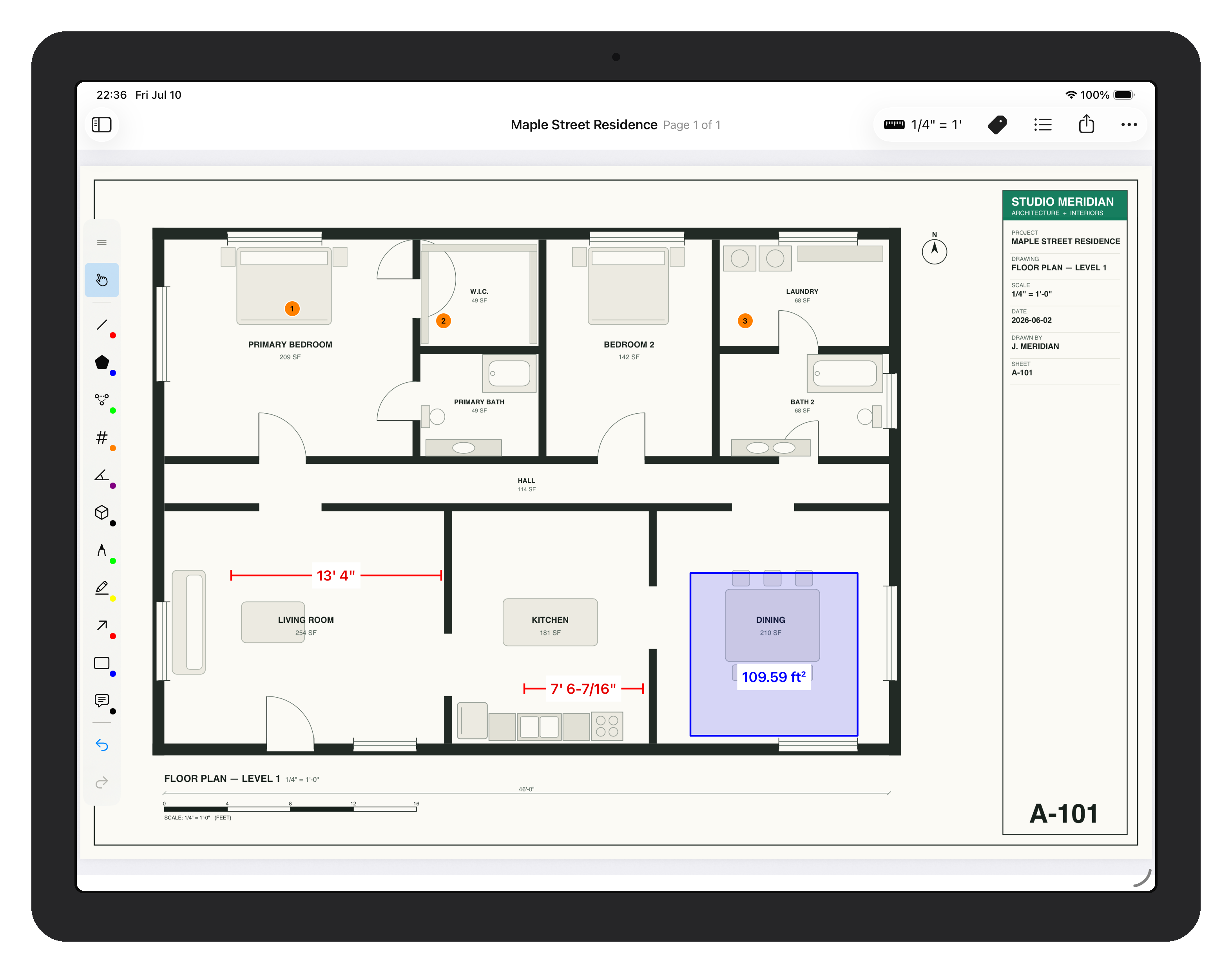
ScaleTap did not start as a general PDF editor looking for a market. It started with the gap left when Revu for iPad was retired: professionals still needed to calibrate drawings, pull takeoff quantities, work without reliable connectivity, and hand results back to the office from an iPad.
That origin still defines the product. ScaleTap intentionally prioritizes precise plan measurement, direct editing, open exports, and an on-device workflow over Studio collaboration, enterprise administration, or a desktop-sized toolbox.
Bluebeam lists Revu for iPad as retired. Check Bluebeam's current end-of-life information before planning a migration.
What former Revu-for-iPad users actually need
For the workflow ScaleTap targets, the requirement is precise: native iPad measurement, dependable calibration, offline work, and clean handoff.
Calibrated measurements
Teams need to set scale on the sheet they are looking at and place measurements without fighting the UI.
Offline-friendly work
Jobsite review often starts in poor connectivity, so open, measure, markup, and export need to work reliably on-device.
Apple Pencil-first input
Native Pencil interaction matters when you are measuring directly on drawings instead of clicking around a desktop-style UI.
How ScaleTap lines up with those needs
| Feature | ScaleTap | Bluebeam today | Scope note |
|---|---|---|---|
| Available on iPad | Yes — native app | Bluebeam offers current web and mobile access | Revu for iPad itself is retired |
| Scale calibration | Yes | Check the current mobile implementation | Core ScaleTap job |
| Takeoff measurements | Length, area, polyline, count, angle, arc, and volume | Check the current mobile implementation | Core ScaleTap job |
| Apple Pencil support | Built around it | Check current device support | Pencil measures; finger pans in ScaleTap |
| Works offline | Yes — fully offline | Files may require preparation for offline work | No ScaleTap account or cloud is required |
| XLSX and CSV measurement export | Yes — grouped quantities and totals | Check the current mobile implementation | Built for estimating handoff |
| PDF and XFDF handoff | Flattened PDF plus XFDF exchange | Broader desktop workflows are available | Open formats keep the office workflow moving |
| Markup tools | Pen, highlighter, arrow, rectangle, text | Broader review and markup environment | ScaleTap covers focused field markup |
| Shared Tool Chest workflows | No shared Tool Chest equivalent | Available in the broader Bluebeam ecosystem | ScaleTap has local appearance controls, not team libraries |
| Studio and team collaboration | No | Available in the broader Bluebeam ecosystem | Not a ScaleTap replacement claim |
| Area/perimeter measurement | Yes | Check the current mobile implementation | Included with ScaleTap's takeoff tools |
| Layers/overlays | Not yet | Available in desktop Revu workflows | Not a ScaleTap replacement claim |
| Price | $9.99/mo or $79.99/yr | Check current Bluebeam plans | Compare only the workflow you actually need |
Know whether ScaleTap fits before switching
ScaleTap is a fit if
You need calibrated plan measurements, takeoff quantities, focused markup, and open exports directly on iPad.
ScaleTap is not a fit if
You require Studio sessions, shared Tool Chests, layers, overlays, enterprise administration, or complete desktop Revu parity.
Test the real handoff
Import one representative plan, verify its scale, complete a takeoff, and open the exported XLSX, PDF, or XFDF where your office works.
Replacing the Revu measurement job on iPad?
Test ScaleTap with the same drawing, scale, quantities, and handoff your team uses in production. Keep Bluebeam where you need its broader ecosystem; use ScaleTap where you need focused iPad takeoff.